Stop listening and end a conversation
Tap the round stop button at the top right of the caption screen, then End conversation. Leaving the app does not stop it.
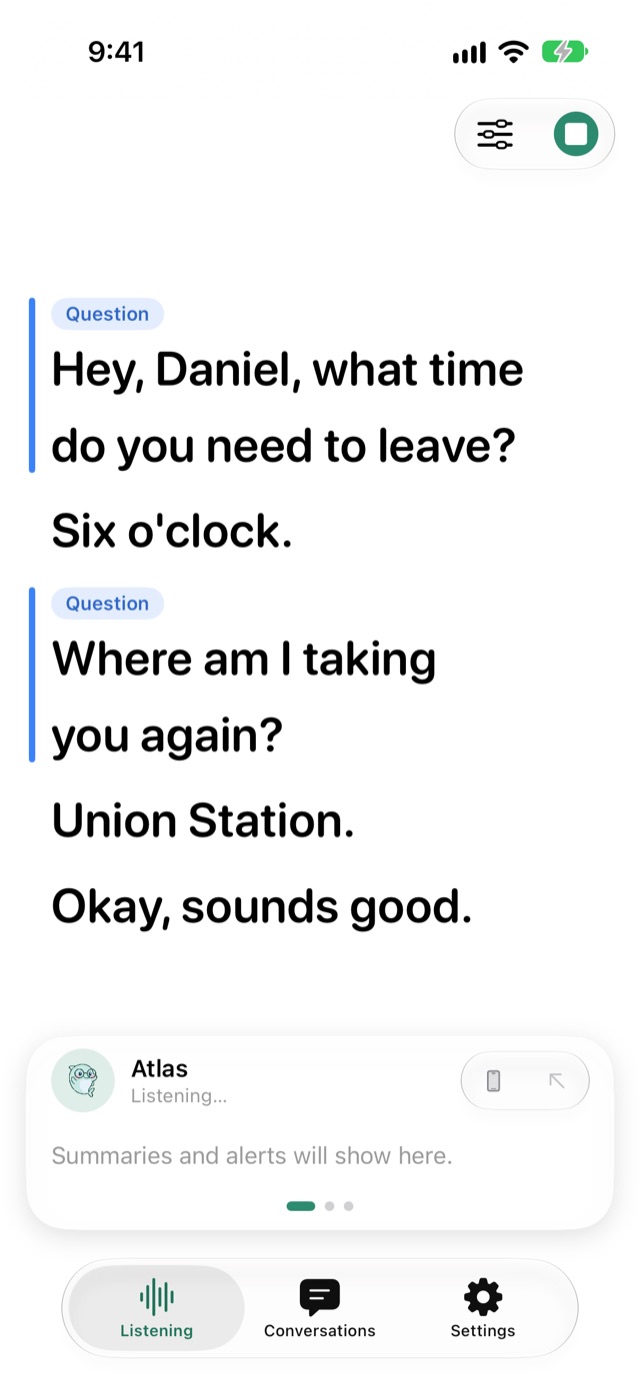
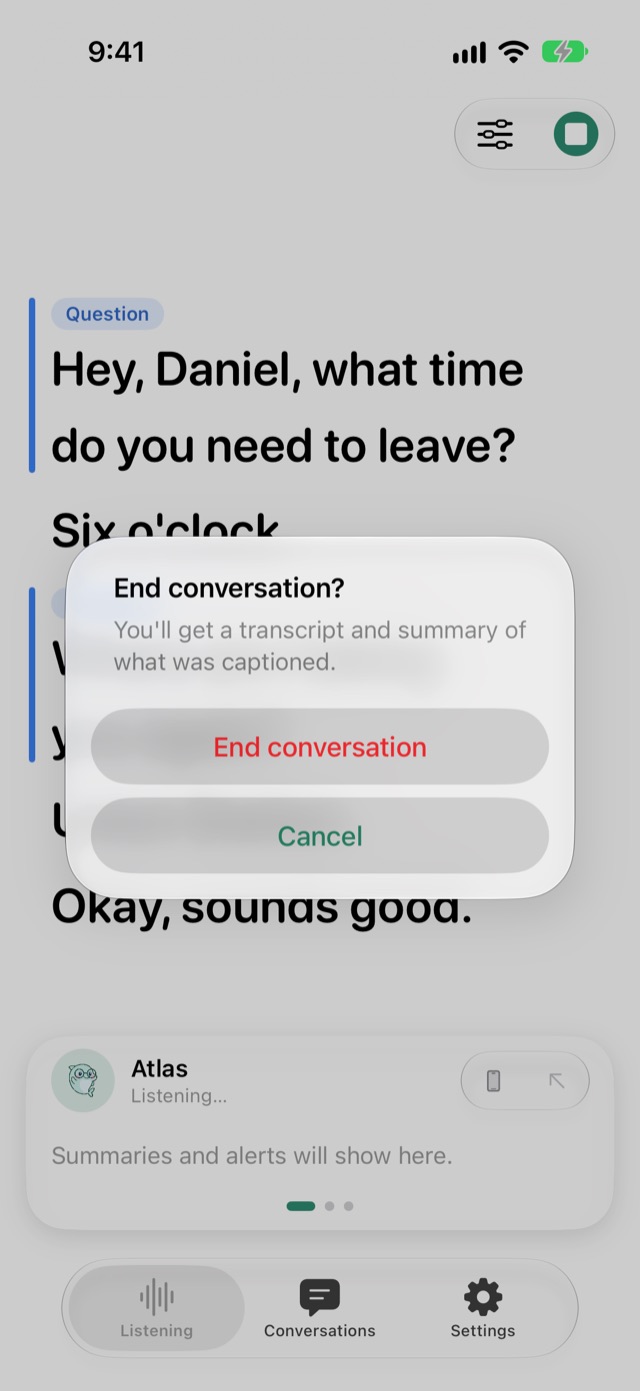
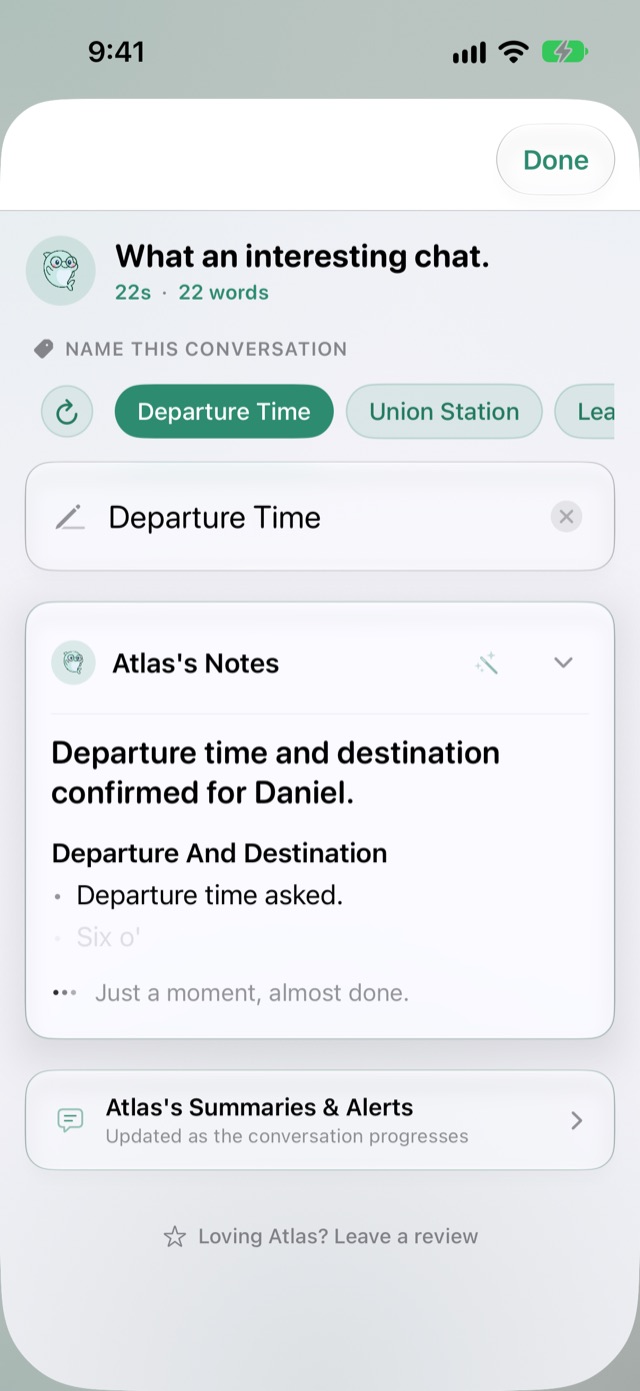
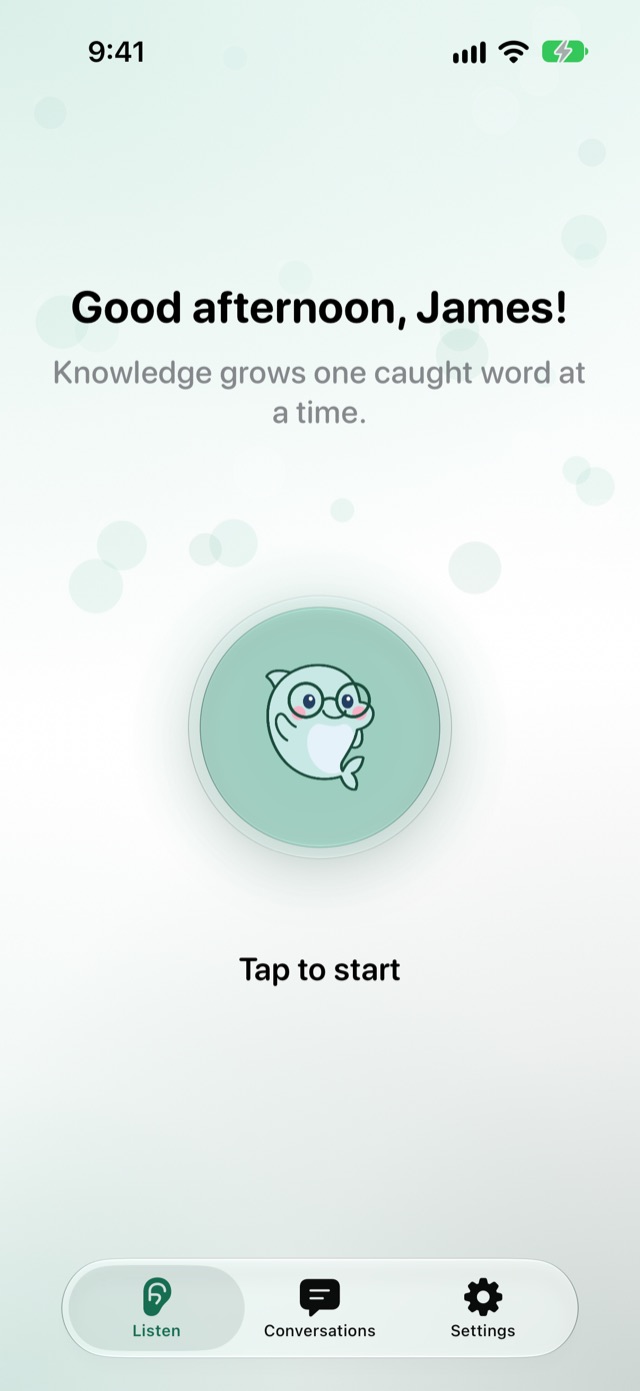
Step 1 of 4
When you're done, tap the round stop button at the top right.
All steps as text
- When you're done, tap the round stop button at the top right.
- Tap End conversation.
- Your conversation is saved. Give it a name if you like, then tap Done.
- Find it any time in the Conversations tab.
To stop captions, tap the round stop button at the top right of the caption screen, then tap End conversation. Your buddy stops listening and saves the transcript.
Going back to your Home Screen or switching to another app does not stop your buddy. It keeps listening until you tap the stop button. This is on purpose, so you can check a text without losing the conversation.
End a conversation
- Open Hearing Buddy. If you're on another tab, tap Listen (it reads Listening while your buddy is on).
- At the top right, find the small glass pill with two buttons. Tap the round one on the right, in your buddy's color. This is the stop button.
- Hearing Buddy asks End conversation? Tap End conversation.
- A summary sheet opens. You can type a name for the conversation if you like.
- Tap Done.
Your transcript is saved in the Conversations tab. See Find, rename and star saved conversations.
After you tap Done, Hearing Buddy sometimes asks how it's going, or shows the Buddy+ screen. You can close either one. Your captions stay free.
Other ways to stop
- Siri: say "Stop listening with Hearing Buddy."
- Apple Watch: if you have the Hearing Buddy watch app, tap the stop button on your watch. See Set up Apple Watch taps.
Skip the "End conversation?" question
If you'd rather stop with one tap:
- Tap the Settings tab.
- Scroll to Customize Captions.
- Turn off Ask before ending a conversation.
Now the stop button ends the conversation right away.
What about closing the app?
Swiping Hearing Buddy away in the app switcher does stop the microphone. But it doesn't end the conversation cleanly. If you open the app again within about an hour, you'll see Your last session was interrupted, with a choice to resume or end it. After that, the conversation is saved without asking. See "Your last session was interrupted".
The stop button is the better way. It saves everything and you won't be asked again later.
How do I know it's still listening?
- The Listen tab at the bottom reads Listening.
- An orange dot at the top of your iPhone screen means an app is using the microphone.
- Your Lock Screen may show your buddy's status while it listens.
If your buddy seems to keep going after you leave, see Hearing Buddy keeps listening in the background.
Note: Your buddy never stops by itself. If it hears nothing for 5 minutes, it asks Still listening? so you can stop it. See "Still listening?" after 5 minutes of quiet.
Last updated November 24, 2026.
Still need help?
Email [email protected]. A real person on our small team reads every message.