Find, rename and star saved conversations
Every conversation you caption is saved as text in the Conversations tab. Search it, star the ones you want to keep handy, and rename them so they're easy to find.
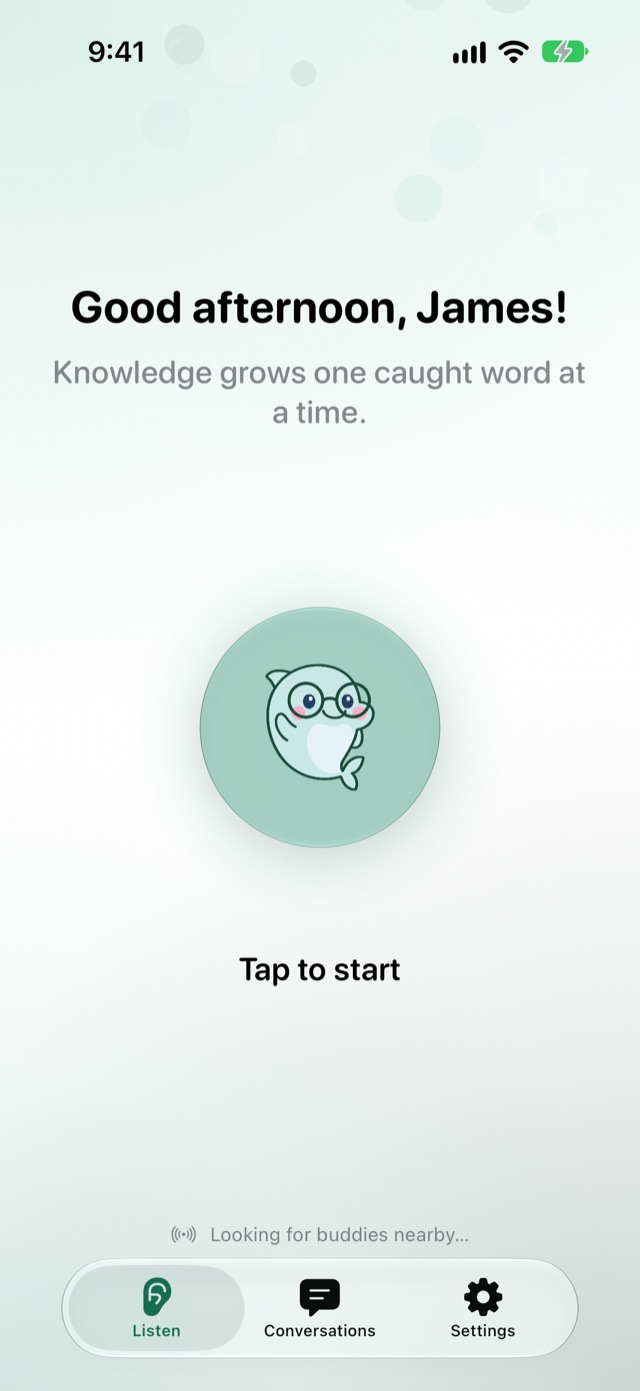
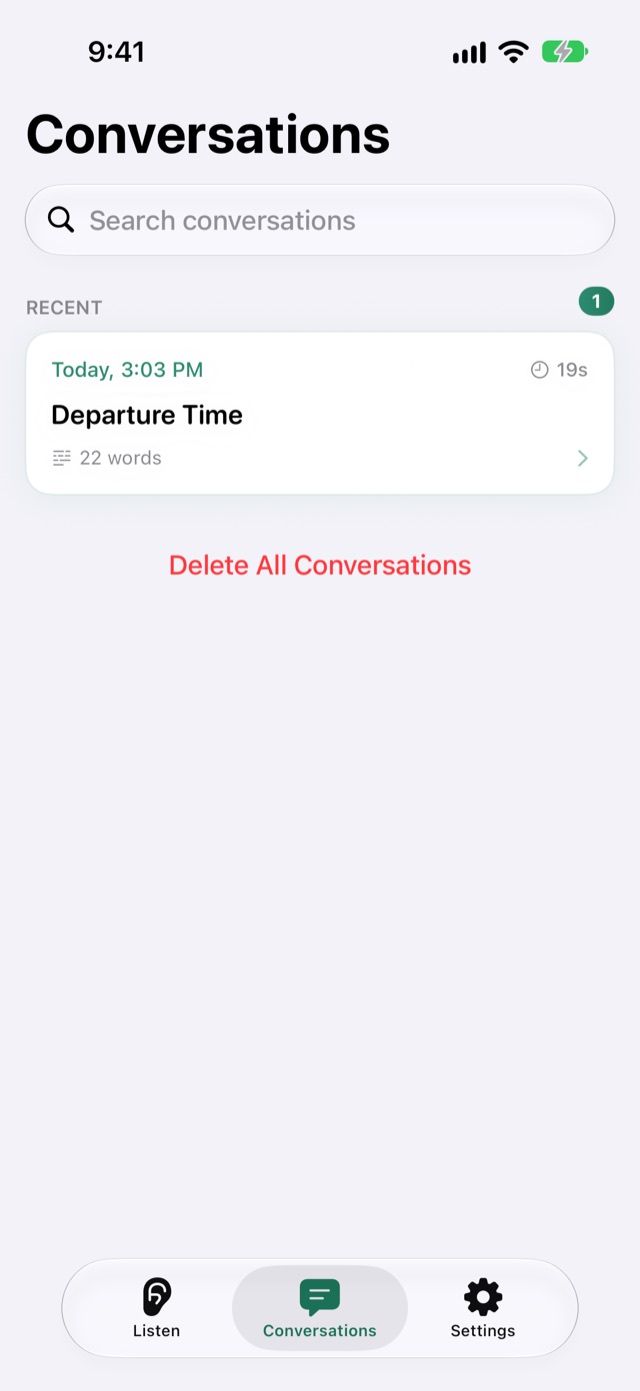
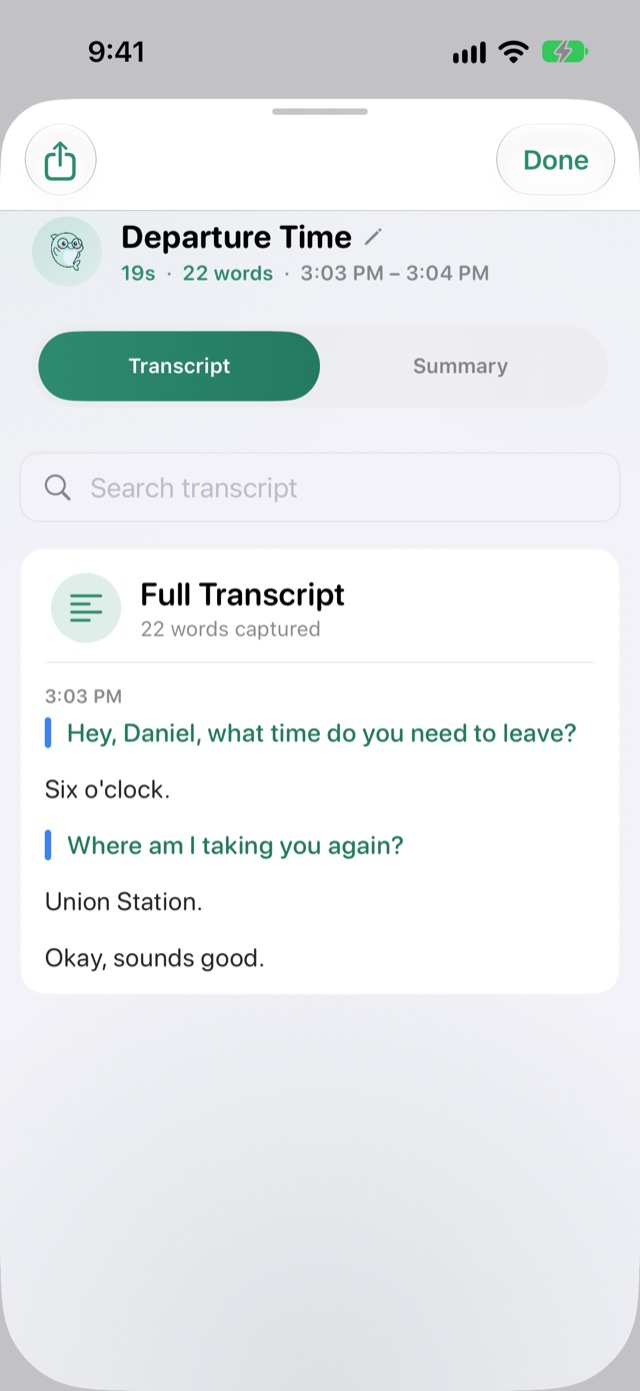
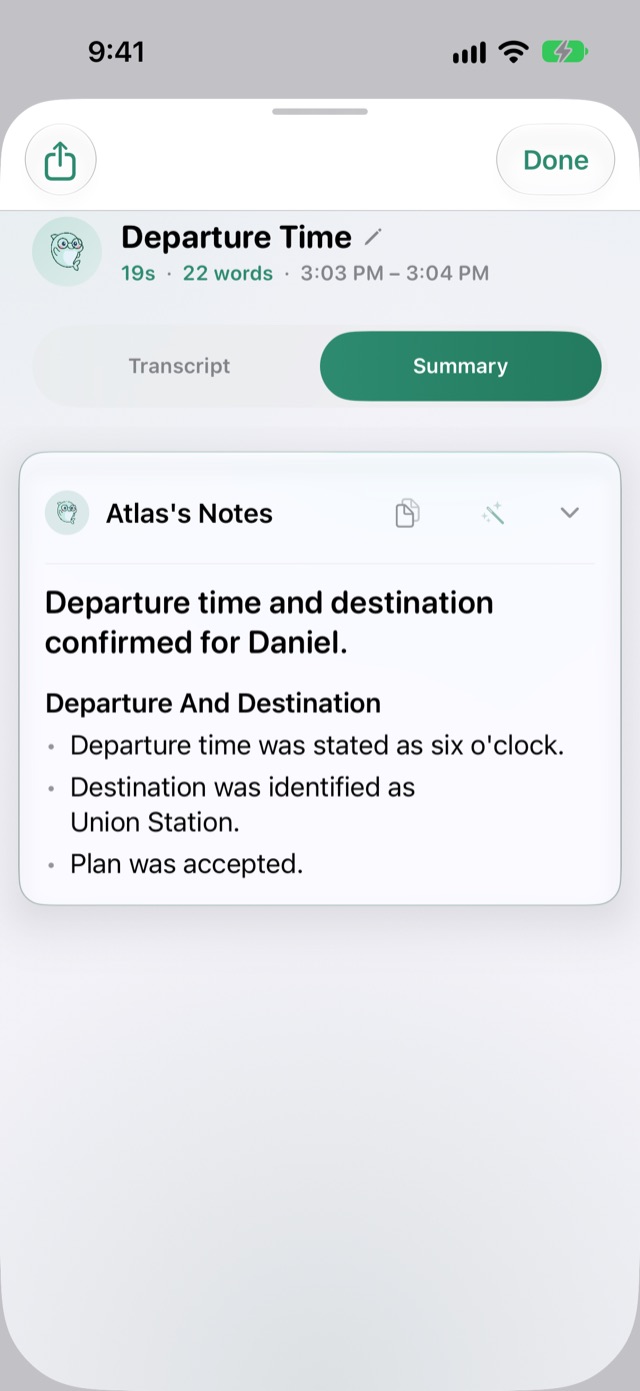
Step 1 of 4
Tap the Conversations tab.
All steps as text
- Tap the Conversations tab.
- Search at the top, or tap a conversation to open it.
- Read the full transcript. Tap Summary to see your buddy's notes.
- The Summary tab keeps the highlights from the conversation.
When you stop listening, Hearing Buddy saves the conversation as text. Open the Conversations tab at the bottom of the screen to find it. There's no limit on how many you can keep, and saving conversations is free.
Find a conversation
- Tap the Conversations tab.
- Your newest conversations are at the top, under RECENT. Starred ones sit above them under STARRED.
- To look for a word or name, tap Search conversations and type.
Open and read a conversation
Tap a conversation to open it. It has two tabs:
- Transcript shows everything that was captioned. To find a word inside it, use the search field at the top of the transcript.
- Summary shows your buddy's notes and summaries, if you have them.
On iPhone, tap Done to close it. On iPad, the conversation opens beside the list.
Star a conversation
Starred conversations stay at the top of the list.
- Swipe right on a conversation and tap Star.
- Or touch and hold it, then tap Star.
To remove the star, do the same and tap Unstar.
Rename a conversation
- Touch and hold the conversation in the list.
- Tap Rename.
- Type a new name and tap Save.
You can also name a conversation right after you stop listening, in the Name this conversation field.
The touch-and-hold menu
Touch and hold any conversation to see View Transcript, Star, Rename and Delete.
Note: If you don't see stars or the search field, update Hearing Buddy from the App Store.
Things to know
- Conversations stay on your device. They're saved as text only. Audio is never recorded or stored.
- During a session, only recent captions show on screen. The full text is in the saved conversation after you stop. See A saved conversation won't open or looks cut off.
- Deleting the app deletes your conversations. To keep one, share or save it first. See Share, print or save a transcript.
Last updated November 24, 2026.
Still need help?
Email [email protected]. A real person on our small team reads every message.