Delete one or all conversations
Swipe left on a conversation and tap Delete, or touch and hold it and choose Delete. To clear everything, use Delete All Conversations at the bottom of the list. Deleting can't be undone.
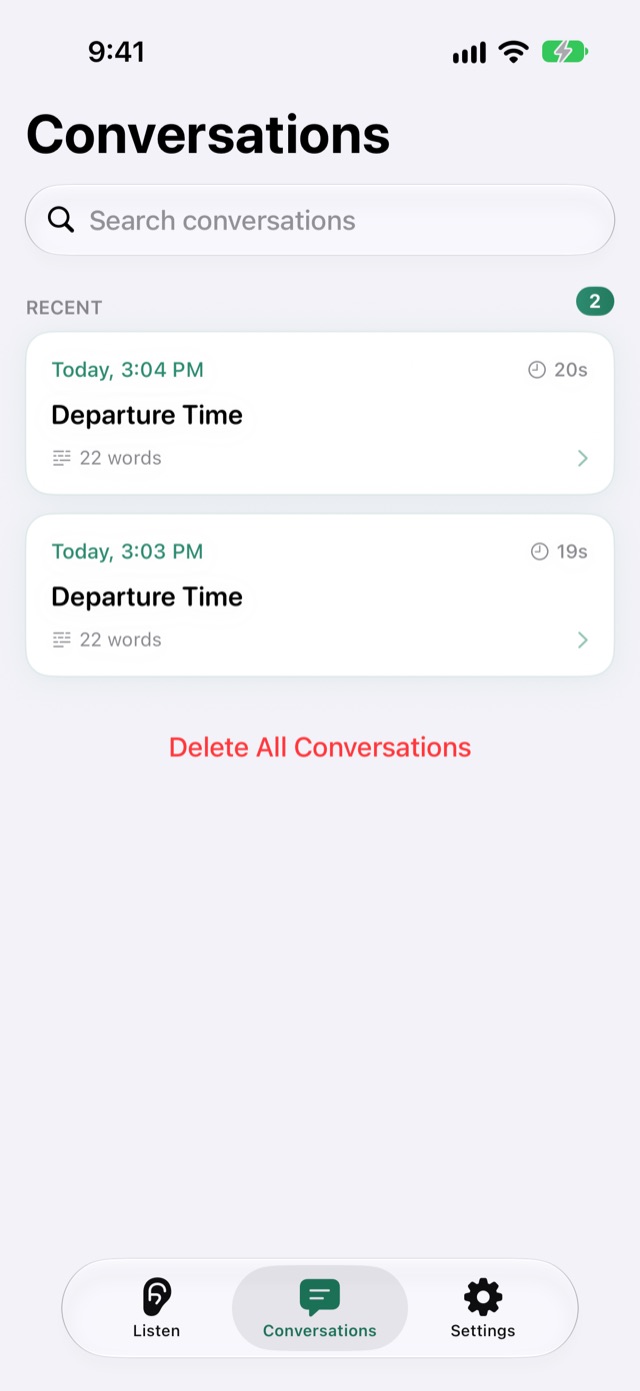
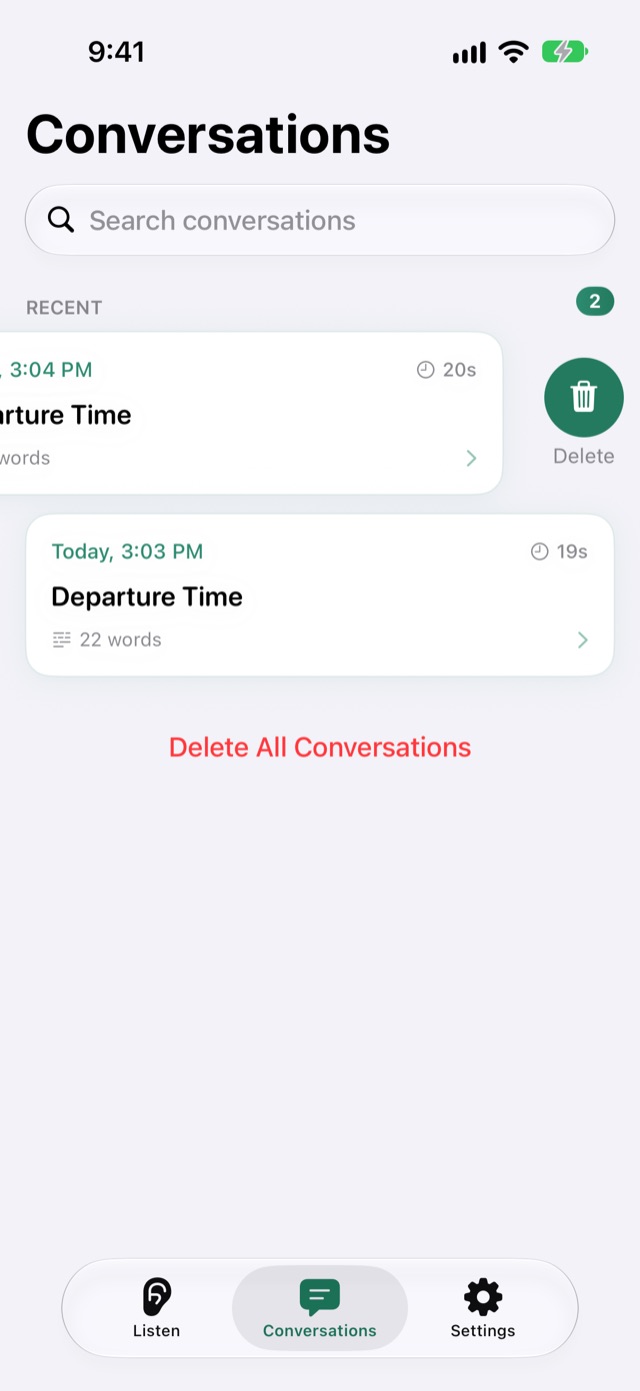
Step 1 of 2
In Conversations, swipe a conversation to the left.
All steps as text
- In Conversations, swipe a conversation to the left.
- Tap Delete, then confirm. This can't be undone.
You can delete one conversation or all of them from the Conversations tab. Deleted conversations are gone for good, so share or save any you want to keep first.
Delete one conversation
Swipe:
- Tap the Conversations tab.
- Put your finger on the conversation and slide it to the left.
- Tap Delete.
- Tap Delete again to confirm.
Or touch and hold:
- Touch and hold the conversation until a menu appears.
- Tap Delete.
- Tap Delete again to confirm.
Tip: If swiping doesn't work, try the touch-and-hold menu instead. It's easier on an iPad and with larger text sizes. When you swipe, start on the conversation itself and slide all the way to the left.
Delete all conversations
- Tap the Conversations tab.
- Scroll to the very bottom of the list.
- Tap Delete All Conversations.
- Tap Delete All to confirm.
This deletes every saved conversation, starred ones included. It can't be undone.
If you don't see Delete All Conversations, clear the search field first: it's hidden while search results are showing. If it's still missing, update Hearing Buddy from the App Store.
What gets deleted
- The transcript and any summaries or notes for that conversation, from this device.
- Copies you already shared, emailed or saved to Files stay where you put them.
- Your Buddy+ subscription isn't affected.
We don't keep copies of your conversations on our servers, so there's nothing more to delete on our side. See Your privacy: what's stored and where.
Free up space
Conversations are saved as text, which takes very little space. Audio is never recorded or stored, so even long conversations stay small.
Last updated November 24, 2026.
Still need help?
Email [email protected]. A real person on our small team reads every message.