Caption another language
Choose the language people are speaking so captions come out right. Change it in Settings under Caption Language, or from the Customize menu during a session.
Step 1 of 2
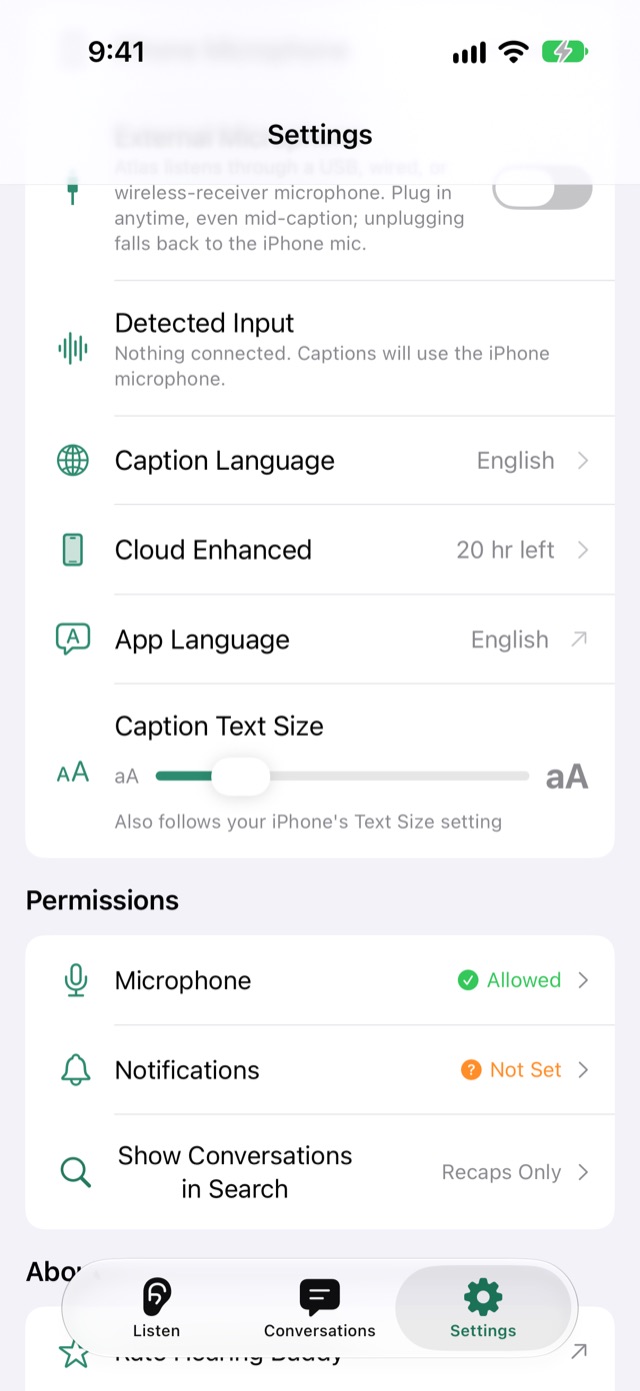
In Settings, scroll down and tap Caption Language.
All steps as text
- In Settings, scroll down and tap Caption Language.
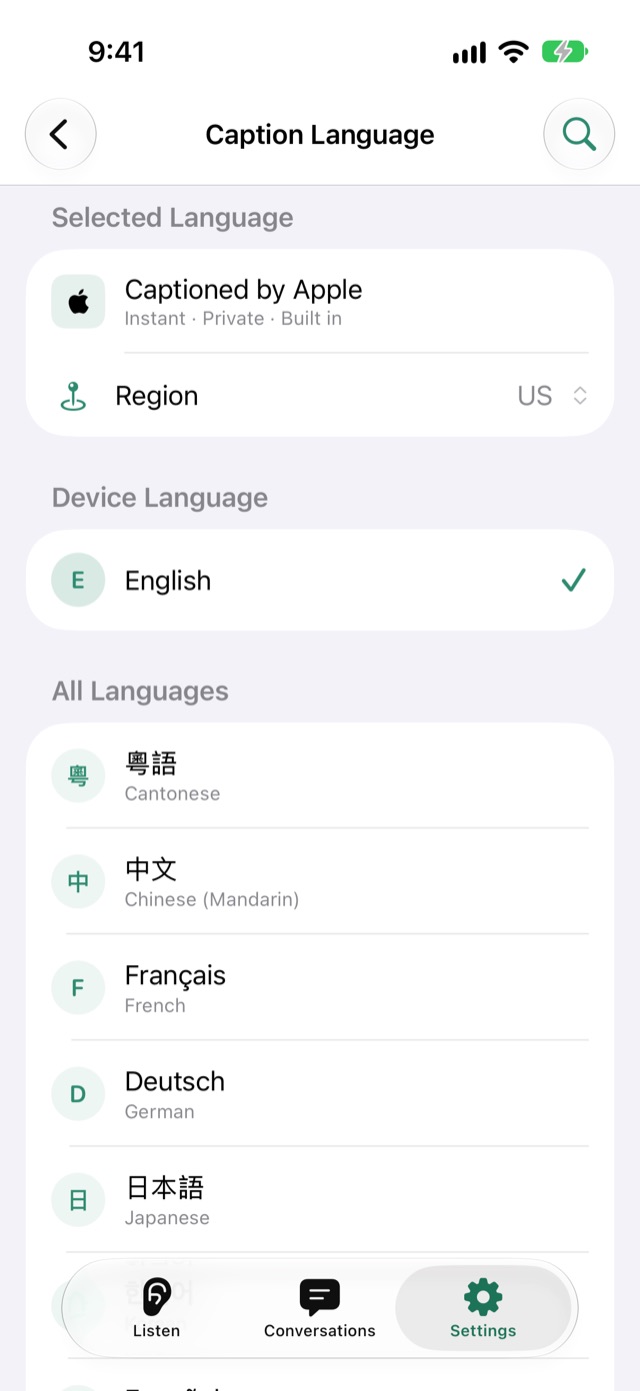
- Pick the language people around you speak. Use Region to choose an accent, like UK or Australian English.
Captions work best when Hearing Buddy knows which language is being spoken. If people are speaking Spanish but the caption language is English, you'll get odd English words, or nothing at all. Set the caption language to match the speaker.
This is the language people speak. To read captions in a different language, see Translate captions as you listen. To change the language of the app's buttons and menus, see Show Hearing Buddy in another language.
Change it in Settings
- Tap the Settings tab.
- Scroll to Customize Captions.
- Tap Caption Language.
- Tap the language people are speaking. To find one quickly, tap the magnifying glass at the top right and type its name. On iPad, use the search field at the top.
At the top, Selected Language shows your current choice. Your iPhone's own language is listed under Device Language, and the rest are under All Languages.
Pick a region
Some languages come in more than one regional version, for example English (UK) or Spanish (Mexico). Picking the closest one helps with accents and local words.
- In Caption Language, look under Selected Language.
- Tap Region and choose the closest match.
Regions are available for English, Spanish, French, Mandarin Chinese and Cantonese. See the full list in Which languages does Hearing Buddy support?
Change it during a session
- Tap the sliders button at the top right of the screen.
- Tap Spoken Language.
- Pick the language. For English, Spanish, French, Mandarin and Cantonese, pick the region too.
Captions switch to the new language right away.
Good to know
- Captions stay on your iPhone. Unless you turn on Enhanced Accuracy, captions are made on your device.
- One language at a time. If two languages are mixed in one conversation, pick the one spoken most.
- Enhanced Accuracy works with every caption language except Cantonese. See Turn on Enhanced Accuracy.
Captions still look wrong?
Check that the caption language matches the speaker, then see Captions don't appear or Get more accurate captions.
Last updated November 24, 2026.
Still need help?
Email [email protected]. A real person on our small team reads every message.