Restore Buddy+ after reinstalling, on a new phone, or if features look locked
If you paid for Buddy+ but features look locked, open the Buddy+ screen and tap Restore at the bottom. Use the same Apple Account you bought it with.
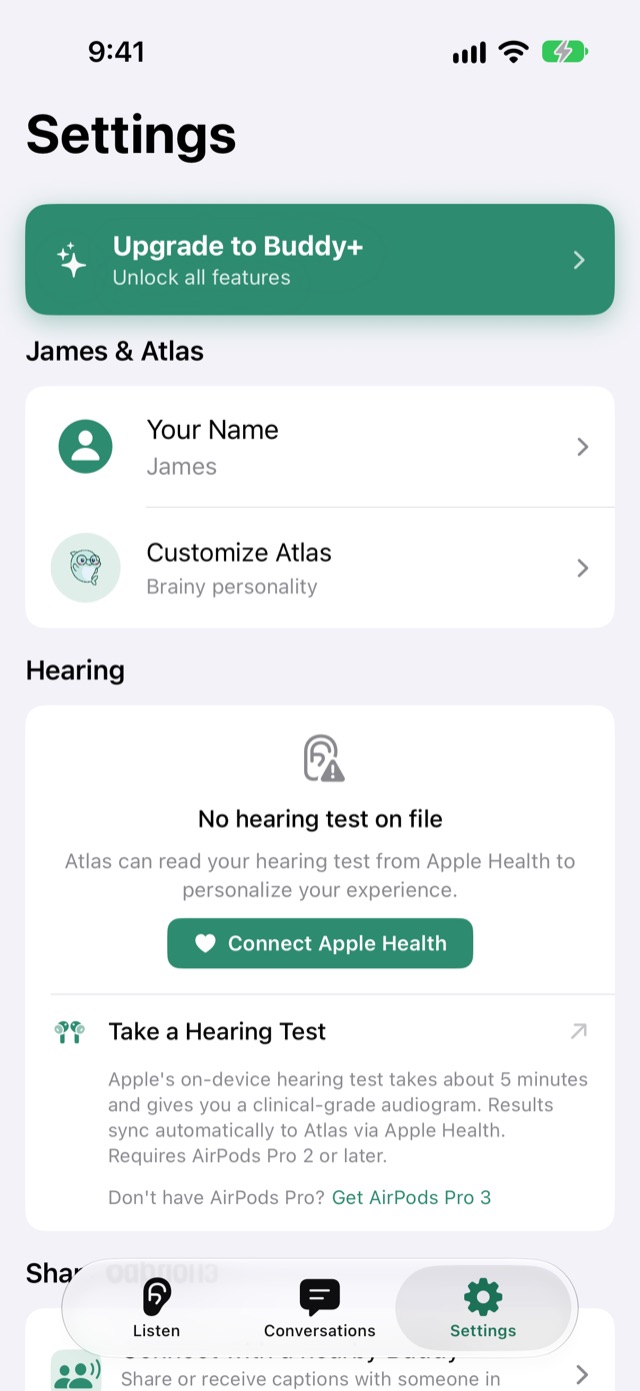
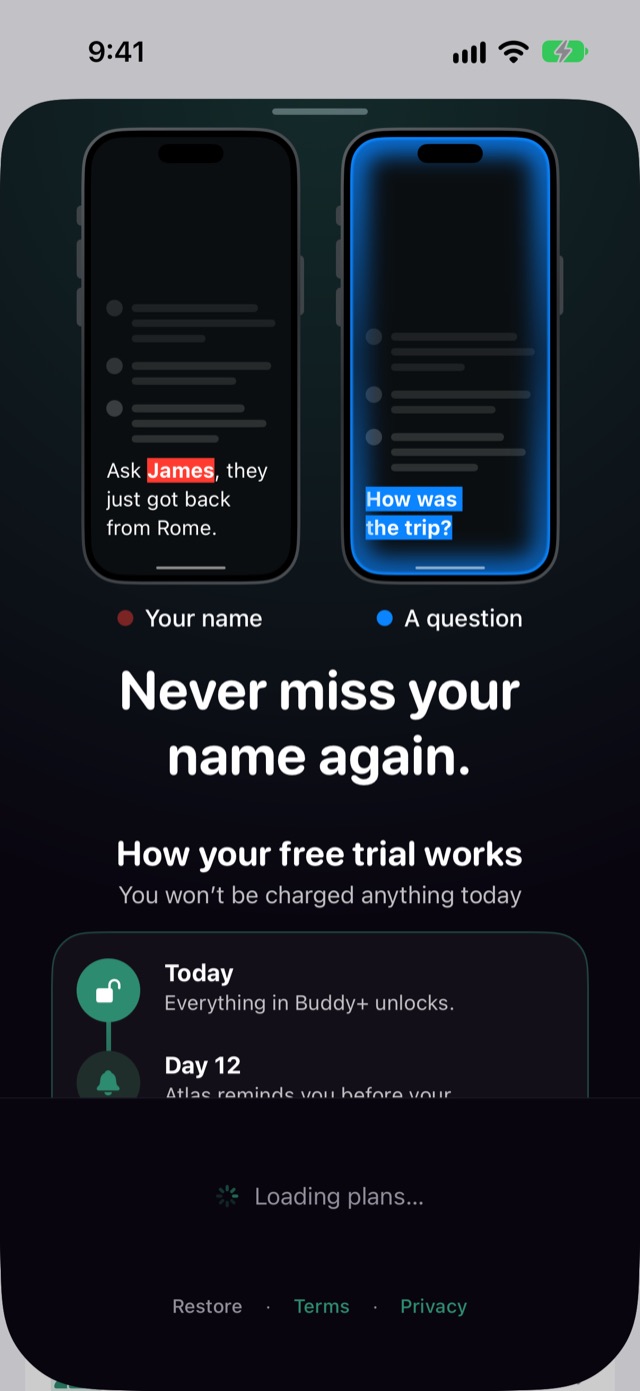
Step 1 of 2
Already paid but features look locked? In Settings, tap Upgrade to Buddy+.
All steps as text
- Already paid but features look locked? In Settings, tap Upgrade to Buddy+.
- Scroll to the bottom and tap Restore. Make sure you're signed in with the Apple Account that paid.
Paid for Buddy+ but seeing locked features, or a Buddy+ screen asking you to pay again? Your purchase is safe with your Apple Account. Restore it from the Buddy+ screen and everything unlocks. This is common after reinstalling the app or moving to a new phone or iPad.
Restore on your iPhone or iPad
- In Hearing Buddy, tap the Settings tab.
- Tap Upgrade to Buddy+ at the top. (You can also tap any locked feature.)
- Scroll to the very bottom of the Buddy+ screen.
- Tap Restore.
It takes a few seconds. When it works, your Buddy+ features unlock and the Account section in Settings shows Buddy+ Active.
You can also tap Help & Support under Account in Settings and look for the option to restore purchases there.
"No purchases found to restore"
This means Apple didn't find a Buddy+ purchase on the Apple Account this device is using. Check these:
- The same Apple Account. Buddy+ belongs to the Apple Account that bought it. Open the Settings app and tap your name at the top to see which account you're signed in with. If you have more than one Apple Account, try the other one.
- Still active. Your subscription may have ended or been cancelled. In the Settings app, tap your name, then Subscriptions, and look for Hearing Buddy.
- Bought on our website. Website purchases don't restore with this button. Use the link in your purchase email instead. See Bought Buddy+ on hearingbuddyapp.com. If that doesn't unlock this device, or you no longer have your old one, email us at [email protected] with your checkout email address.
On a new iPhone or iPad
Sign in with the same Apple Account, install Hearing Buddy, then follow the restore steps above. One Buddy+ purchase works on all your iPhones and iPads that use that Apple Account.
Your saved conversations are stored on the old device, not with your purchase. Restoring brings back Buddy+, not your conversations.
On a Mac
The same Buddy+ purchase also works in Hearing Buddy for Mac when you're signed in to the Mac App Store with the same Apple Account. In the Mac app, open Settings, choose General, then click Restore Purchases.
Still locked?
- Close Hearing Buddy completely: swipe up from the bottom of the screen, then swipe the app away.
- Open it again and try Restore once more.
If it still doesn't work, contact support. Include your Apple receipt or order ID if you have it, and tell us whether you bought in the app or on our website.
Last updated November 24, 2026.
Still need help?
Email [email protected]. A real person on our small team reads every message.