Share your captions with people nearby
Let people in the same room read your live captions on their own iPhone or iPad. It's free, it works without internet, and you approve who joins.
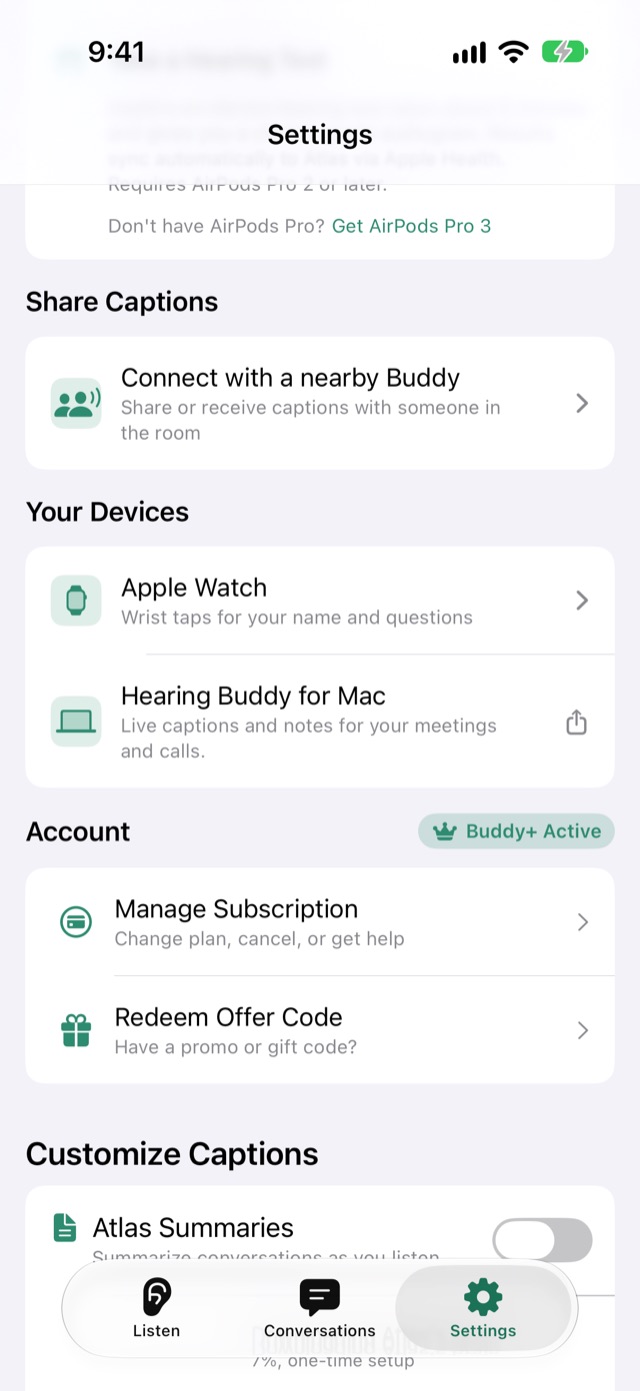
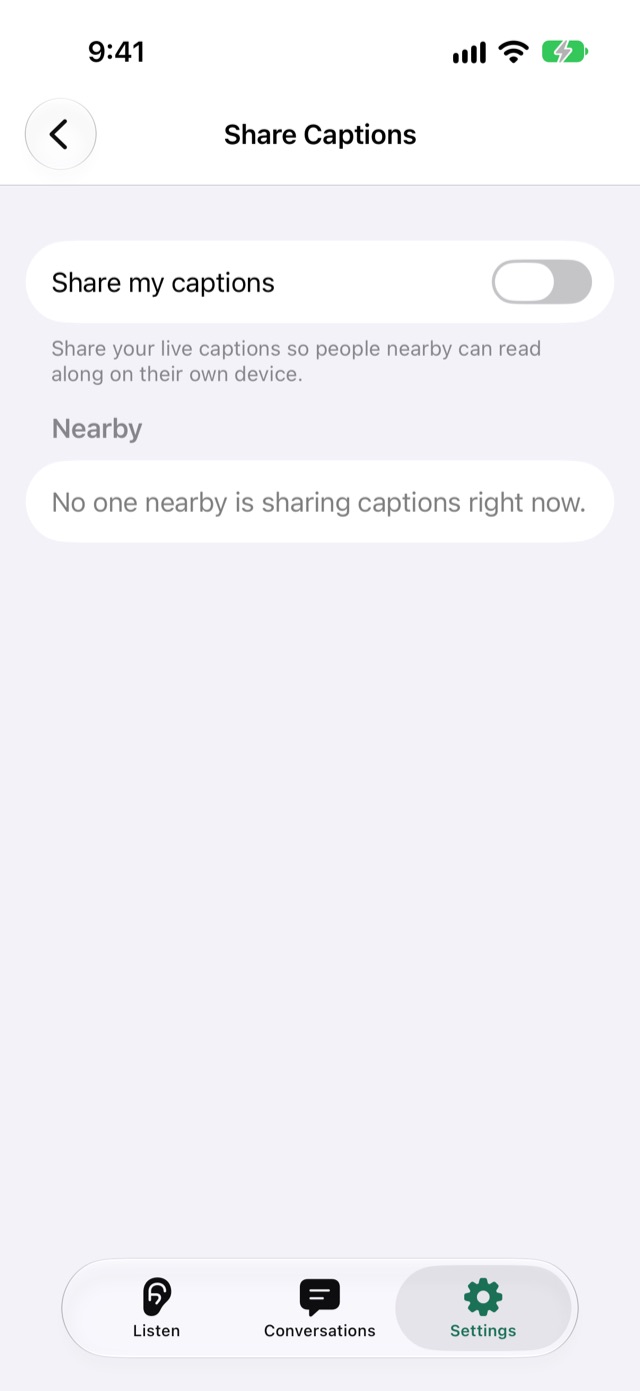
Step 1 of 2
In Settings, tap Connect with a nearby Buddy.
All steps as text
- In Settings, tap Connect with a nearby Buddy.
- Turn on Share my captions. People nearby can then ask to read along on their own phones.
Share Captions lets people near you read your live captions on their own iPhone or iPad, each with their own text size. It's free, it works without a Wi-Fi network or internet, and nobody joins until you say yes.
Each person needs Hearing Buddy on their own device. They don't need Buddy+.
Start sharing during a session
- Start a session as usual.
- Swipe your buddy's card to the Share Captions page.
- Tap Share Captions.
People nearby can now ask to join. Until someone joins, the card says Waiting for people.
Or turn it on in Settings
- Tap the Settings tab.
- Under Share Captions, tap Connect with a nearby Buddy.
- Turn on Share my captions.
Then start a session. People nearby can find you while you're listening.
Approve who joins
When someone asks to join, you'll see their name under Wants to join.
- Tap the check mark to let them in.
- Tap the X to say no.
To skip this step, turn on Auto-accept everyone. Anyone nearby can then join without waiting for you.
Manage the room
Tap the row of buddy pictures on your buddy's card, or go back to Settings, then Connect with a nearby Buddy:
- In this session lists everyone reading along. Tap Remove next to someone to remove them.
- Mute everyone (only I can talk) keeps everyone else's microphone off, so only your voice is captioned for the room.
Stop sharing
- On your buddy's card, tap End.
- If asked, tap Stop Sharing to confirm.
Everyone reading along is disconnected.
Stopping your session also stops sharing.
Good ways to use it
- At the dinner table. Family members can follow along on their own phones.
- As a second microphone. Put a second iPhone near the person who's hard to hear. Join your session from that phone and tap Mic off on its card so it changes to Mic on. That phone's microphone then adds what it hears to your captions. See Read someone else's captions on your phone.
- In a group. Many people can read one person's captions at once.
What you need
- Both devices close to each other, with Wi-Fi and Bluetooth turned on. You don't need to be on the same Wi-Fi network, or any network.
- Local Network allowed for Hearing Buddy. Your iPhone asks the first time you use Share Captions. If you said no, see Can't find or connect to a nearby buddy.
Captions travel directly between the devices, encrypted. Audio is never recorded or stored.
Last updated November 24, 2026.
Still need help?
Email [email protected]. A real person on our small team reads every message.