8 min read
Apple Recommends Hearing Buddy, The Free Live Captions App for Anyone Tired of Nodding Along
Apple recommends Hearing Buddy for people with hearing loss, the families who love them, and anyone who wishes they could catch every word of a conversation — naming it a 2026 Apple Design Award finalist, one of the App Store's Best New Apps & Updates of 2026, and, most recently, an "Apps We Love" feature.
Apple Design Award Finalist
Inclusivity · 2026
Best New Apps & Updates
App Store · 2026
Apps We Love
App Store Feature · 2026
Let's start with a question most people never have to think about: what do you do when you only catch two words out of every three? For the nearly 48 million Americans living with some degree of hearing loss, the honest answer is that you nod. You smile. You laugh half a beat after everyone else and hope nobody noticed. Audiologists call the exhaustion that follows listening fatigue, and anyone who has spent a dinner straining to keep up knows exactly what it feels like.
Hearing aids help a lot of people, but they are expensive, and after a few hours they can leave your ears sore. Most people wait about seven years before doing anything about a change in their hearing, and Johns Hopkins links untreated hearing loss to faster cognitive decline. Which is why more and more people — and the families who are tired of repeating themselves — are turning to a free iPhone app called Hearing Buddy.
Even Apple recommends Hearing Buddy. In 2026 alone, Apple named it an Apple Design Award finalist in the Inclusivity category, put it on the App Store's Best New Apps & Updates list, and then featured it as one of its Apps We Love. Not bad for an app built by two people, one of whom made it because she needed it herself.
At Hearing Buddy, we turn speech into clear, readable text as it is spoken: live captions for real conversations, running entirely on your iPhone. Captions are free and unlimited, with no minute meter, no session cap, and no account. Your buddy can also tap you on the wrist when someone says your name, share captions with the people around you, translate the conversation into the language you read, and hand you a quick recap afterward.
"Never Miss a Word With Hearing Buddy. Free live captions that never leave your iPhone."
So, what exactly is it that people love about Hearing Buddy?
1. Every Word, as It Is Said — and It's Free
Most captioning apps sell you minutes. You start watching the meter instead of the conversation, and the moment you relax is the moment it runs out. We think that turns accessibility into a subscription, so we did it differently: live captions in Hearing Buddy are unlimited and free, and they always will be.
Open the app, tap once, and speech becomes text on your screen as people talk. Put the phone where the sound is — on the table, propped against a glass, or handed to whoever is speaking — and read along. Every session saves itself, so you can go back and check what you missed.
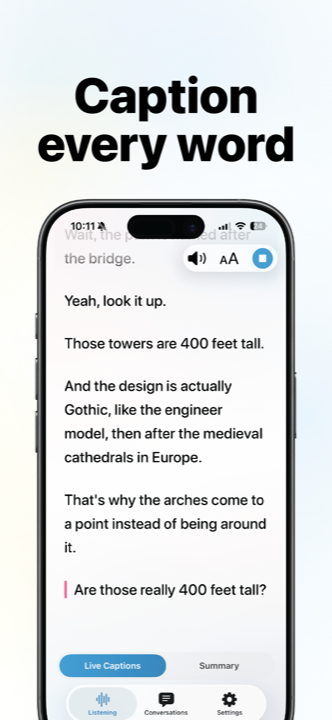
"Great for table conversation in noisy congregate dining room in senior living."
2. Nothing Leaves Your iPhone
Hearing Buddy processes every conversation on your device. Your audio is never uploaded, there is no account to create, and there is no server in the middle. That is the privacy part.
The practical part matters just as much: because nothing has to reach the internet, Hearing Buddy keeps captioning in a restaurant with no signal, a hospital basement, or a plane at 35,000 feet. If your phone is on, your captions are on.
"Downloaded App on iPad mini for my elderly father. He is unable to hear any of the conversations at the dinner table especially when we go out to dinner. Works in offline mode so he doesn't need cellular service at a restaurant. This app will be life altering for him. Thank you!"

Hearing Buddy – Speech To Text
- Unlimited live captions
- Works offline, nothing uploaded
- No account, no card, no minute meter
3. A Tap on the Wrist When Someone Says Your Name
The hardest part of hearing loss is not the words you miss. It is the moment you realize the whole table is looking at you, waiting for an answer to a question you never heard.
Hearing Buddy listens for your name and for questions aimed at you. When one comes up, your buddy taps you — a discreet haptic on your Apple Watch, or an alert on your iPhone or Lock Screen — and shows you what was said, so you can answer instead of asking "sorry, what?" Name and question alerts are part of Buddy+.
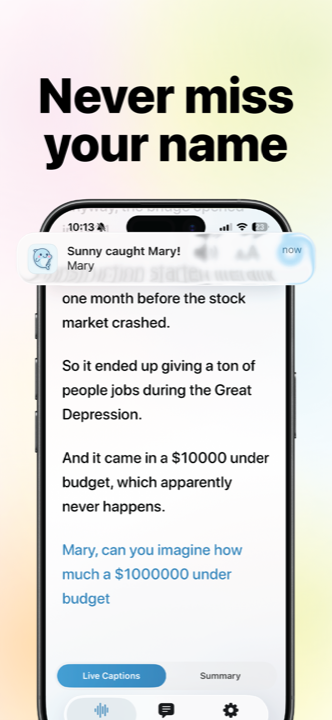
"I'm hard of hearing and finally found an app that helps during work!! I love the summaries and when my hearing buddy taps me for a name or question alert. Was getting a coffee this morning and it tapped me when they called my name."
4. One Phone Captions the Room. Everyone Reads Along.
Group conversations are where hearing loss hurts most: the family dinner, the classroom, the meeting where three people talk at once. Share Captions was built for exactly that.
One person starts a shared session and puts their phone near whoever is speaking. Everyone else opens Hearing Buddy on their own iPhone or iPad and reads the same live transcript from their own screen. There is no code to read out, no link to send, and no internet in between — the captions pass directly between the devices in the room. Apple's own tip to readers of its feature was to have several people in a classroom or meeting install the app so their phones can capture the conversation together. Share Captions is free for everyone in the room.
5. Read It in the Language You Think In
Hearing Buddy translates captions as people speak, on your device, into any of ten reading languages. In a shared session each person picks their own, so one conversation can be read in Spanish, Korean, and English at the same time — grandparents following in Mandarin while the grandkids read English. Inside a shared session, that is free for everybody. Translating your own private captions when you are captioning solo is part of Buddy+.
6. A Quick Recap of What You Missed
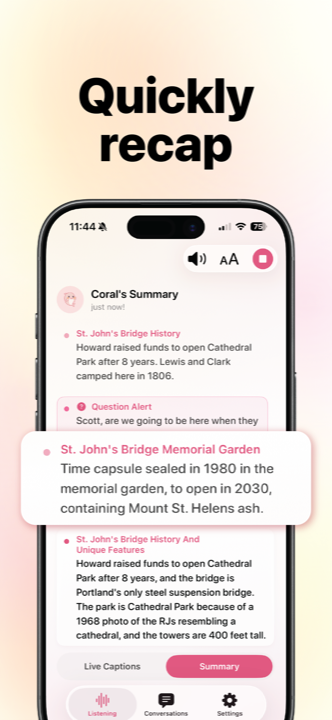
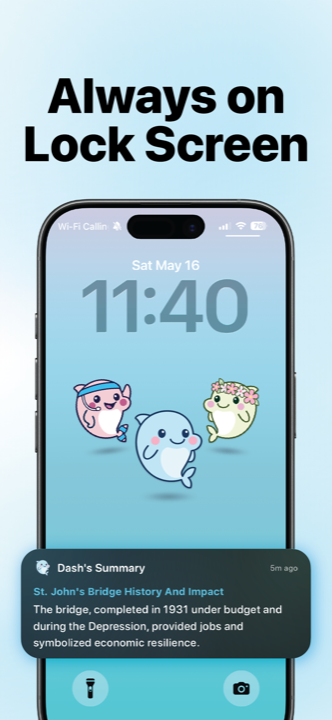
Reading every caption back after a two-hour lecture is nobody's idea of fun. Your buddy writes a short summary of what was said — the key points from a class, a doctor's appointment, or a meeting — and pins the latest one to your Lock Screen so you can glance at it without opening the app. Summaries and the Lock Screen view are part of Buddy+.
7. Quiet Voices, Turned Up
For the moments when you would rather hear than read, Boost Audio turns AirPods or any headphones into a real-time sound amplifier. It lifts quiet speech by up to 39 dB, picks a preset for the room — conversation, meeting, or restaurant — and, if you have a hearing test saved in Apple Health, shapes the sound to your own results. A hard limiter at the end of the chain keeps a slammed door from spiking in your ears. Boost Audio is part of Buddy+, and it is a sound amplifier, not a hearing aid.
8. Built by Someone With Hearing Loss — and Her Real-Life Hearing Buddy
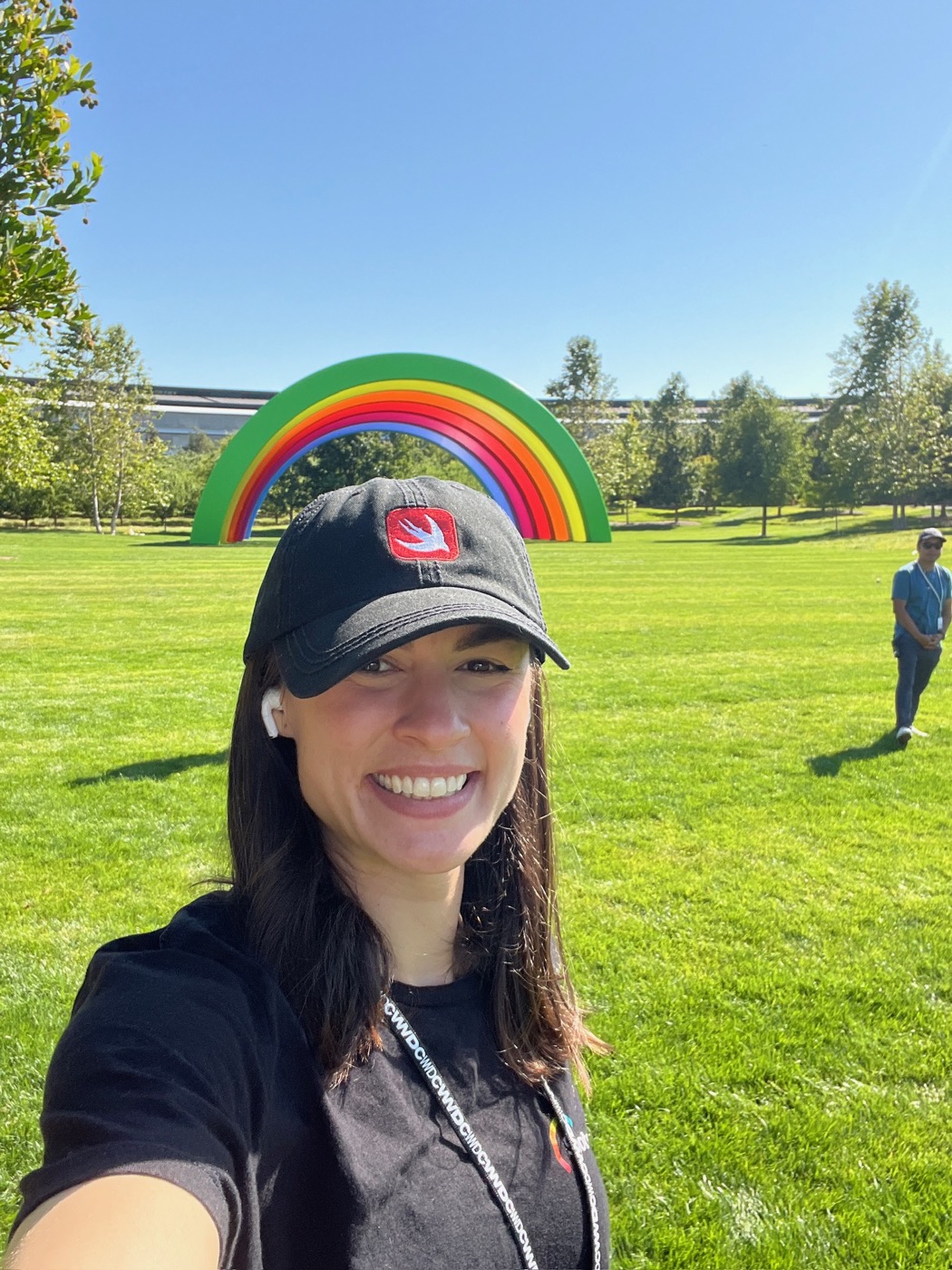
Hearing Buddy was made by Lilly Seay, who lives with hearing loss, and Scott Krager, the person who repeats things for her without being asked. That is where the name comes from.
Lilly went to Apple Entrepreneur Camp in 2023 and then took a job leading a team of twenty engineers, with in-person trainings and a calendar full of meetings. It was a wonderful team, and it made one thing clear: around a big table, even in the friendliest room, she might catch half of what was said. Scott watched how much energy it took her to stay in every conversation and wanted to help.
Then came WWDC25. Scott started testing Apple's newest on-device speech technology to see whether live captions could keep up with a real, fast-moving conversation. They could. Lilly has always preferred captions to hearing aids — after a couple of hours with hearing aids her ears are sore, and reading a conversation as it happens just feels better — so the two of them built the app she wanted to use.
When Apple named Hearing Buddy a Design Award finalist, it put it simply:
"Hearing Buddy is shaped by experience."
9. A Buddy, Not a Bot
Open Hearing Buddy and the first thing you meet is not a settings screen. It is a dolphin. Ten of them, actually — the buddies of Clearwater Cove. Dash is quick and to the point. Coral is warm and encouraging. Reef found a favorite rock three years ago and hasn't stressed since. You pick the one that fits you, and that buddy is the one who captions, taps you when your name comes up, and writes your recaps.
It is more than decoration. Lilly told the App Store she designed the buddies to keep the complicated technology hidden under the hood, "so the app stays minimalistic and easy to use." Hearing loss is tiring enough; the app that helps should not add to it.



10. Recognized by Apple — Three Times in One Year
Apple's Inclusivity category honors apps that give a great experience to people of every background, ability, and language. In June 2026, Hearing Buddy was named a finalist. Since then, the App Store has listed it among the Best New Apps & Updates of 2026 and featured it as one of its Apps We Love. Before any of that, it took second place and the Peace Prize at RevenueCat's Shipaton 2025.
We are proud of the laurels. We are prouder of the reviews from people using the app at a senior-living dinner table, at work, and in line for coffee.
Apple Design Award Finalist
Inclusivity · 2026
Best New Apps & Updates
App Store · 2026
Apps We Love
App Store Feature · 2026
Be part of it.
Download Hearing Buddy today and stop nodding along. Captions are free, unlimited, and private — and your buddy is waiting.

Free for iPhone and iPad on iOS 26 or later. Apple Watch alerts, Mac, and Vision Pro captions are part of Buddy+.
Curious about the sources behind our ad creatives?
- Apple — Meet the 2026 Apple Design Award Finalists (App Store)
- Apple — "Never Miss a Word With Hearing Buddy", App Store Apps We Love
- Hearing Buddy on the App Store — ratings and reviews
- RevenueCat — Shipaton 2025 winners
- NIDCD — Quick statistics about hearing
- Johns Hopkins Medicine — Hearing loss linked to accelerated brain tissue loss